Label Studio for TSC
Free Mac app for TSC thermal label printers. Print shipping labels, barcodes and MRP stickers straight from your Mac.
Mac pe TSC printer chalana ab aasaan. Windows ki zaroorat nahi.
What you can do
Print shipping labels
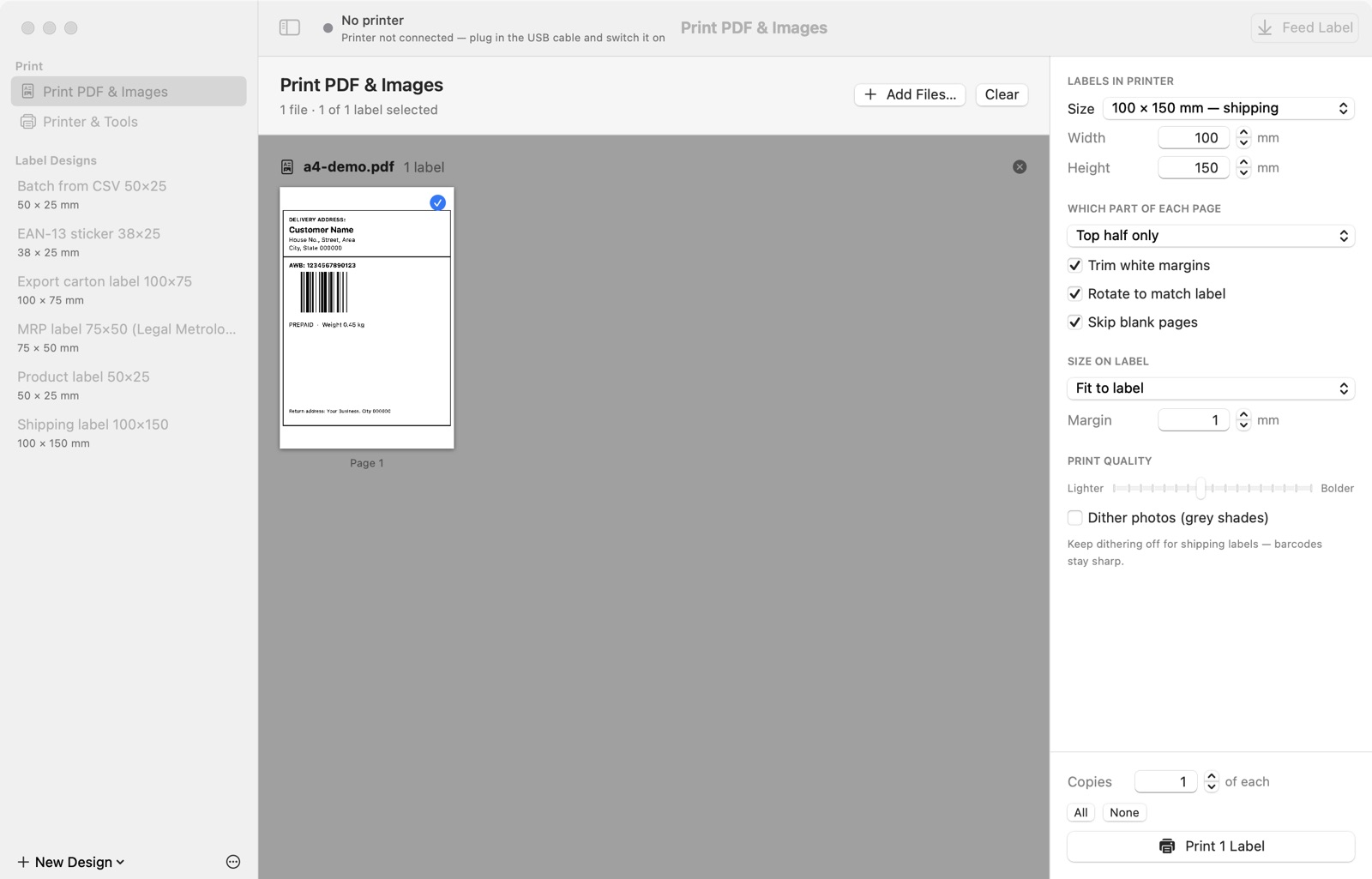
Drop in label PDFs from Amazon, Flipkart, Meesho, Shiprocket or Delhivery. The label is trimmed, rotated and scaled to fit. For A4 sheets with the label on top, choose “Top half only”.
Design your own labels
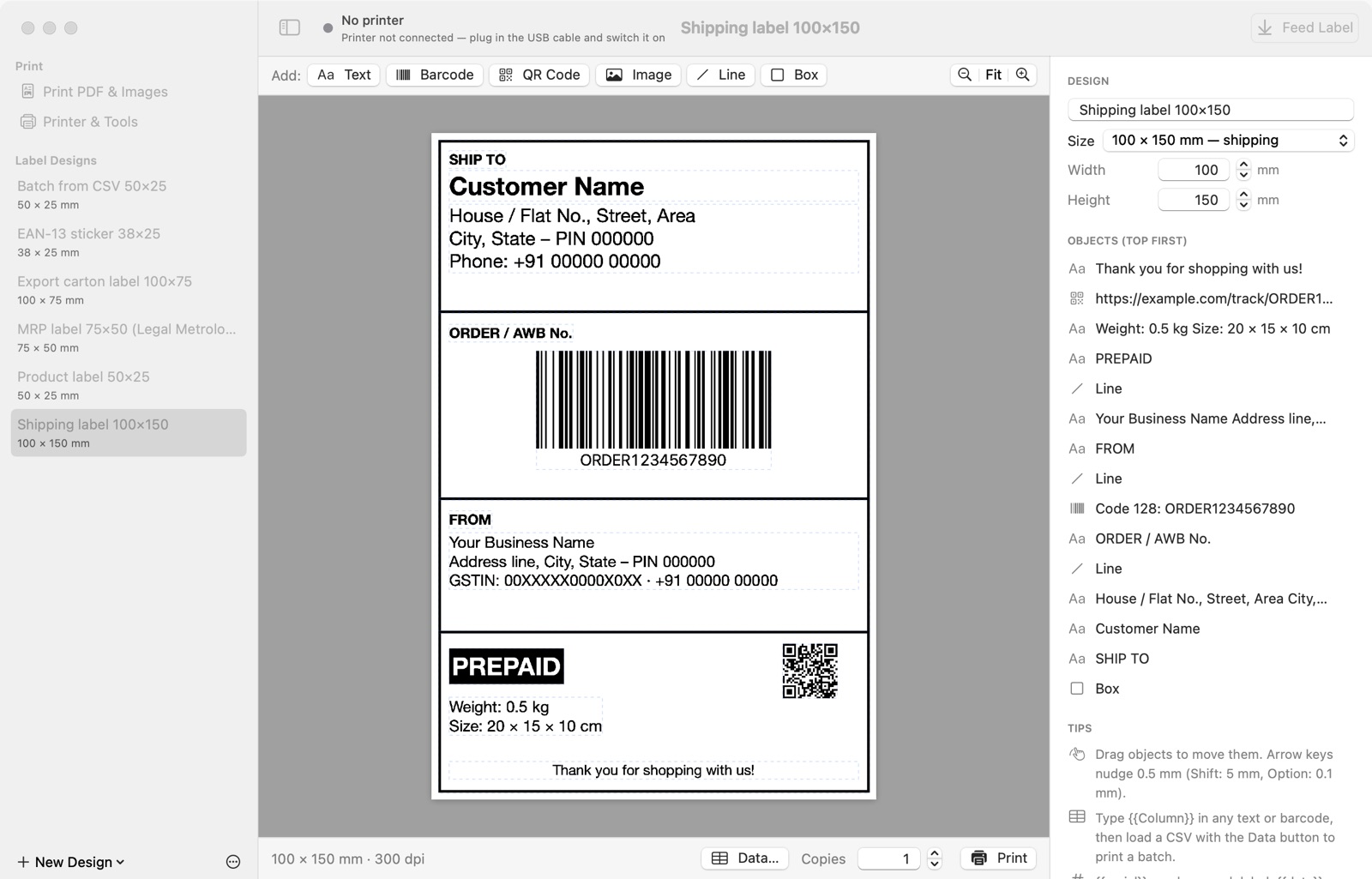
Text in any font (₹ and Hindi work), barcodes (Code 128, EAN-13, EAN-8, UPC-A, Code 39, ITF-14), QR codes, logos, lines and boxes.
Batch print from Excel
Save your sheet as CSV and print one label per row, with automatic serial numbers and dates. Ready-made MRP, product, shipping and carton labels are included.
Printer tools
Live status (ready, cover open, out of labels), feed, calibrate, self-test, darkness and speed. No driver needed over USB.
Print from any app
An optional one-click print driver lets Chrome, Preview and Excel print to your TSC with ⌘P.
Free, and private
No account, no ads, no subscription. Everything stays on your Mac.
Works with TSC printers
Any TSC printer that uses the TSPL language, 4-inch and smaller. The app works out the resolution (203, 300 or 600 dpi) from the model name.
Install in one minute
- Download the app and open the file.
- Drag Label Studio for TSC onto the Applications folder.
- Open it from Applications. The first time, macOS asks if you’re sure. Click Open.
- Connect the printer by USB and switch it on. In Printer & Tools, choose your label size, click Calibrate Now, then Print Test Label.
हिंदी में:
- ऐप डाउनलोड करें और फ़ाइल खोलें।
- Label Studio for TSC को Applications फ़ोल्डर पर खींचकर छोड़ें।
- Applications से ऐप खोलें। पहली बार macOS पूछेगा, तो Open दबाएँ।
- प्रिंटर को USB से जोड़कर चालू करें। Printer & Tools में लेबल साइज़ चुनें, Calibrate Now दबाएँ, फिर Print Test Label दबाएँ।
Questions
Is it really free?
Can I print Amazon or Flipkart labels?
Why does my Mac ask “Are you sure you want to open it?”
Does it need the internet?
Is there a Windows version?
Something isn’t working
Label Studio for TSC is made by Rajdhani Telecom, Moradabad. “TSC” is a trademark of TSC Auto ID Technology Co., Ltd. This app works with TSC printers but is not affiliated with, or endorsed by, TSC Auto ID Technology. macOS and Mac are trademarks of Apple Inc.